

Skip to content
Menu
Explore prompts
Search LifestyleGlide

FIND YOUR NEXT STEP

What can we help you find?

Try meeting notes, video scripts or email writing.

Meeting notes Video scripts Email writing
Browse guides, prompts and creator resources.Esc to close · Ctrl / ⌘ K to open

THE CREATOR STUDIO / PRACTICAL GUIDE

Design And Creative Direction Prompts

Original prompts for design and creative direction, with the required inputs and links to related task guides.

By LifestyleGlide · Published · No signup needed

MrBeast, photographed in 2023
MrBeastEntertainment
Marques Brownlee speaking at Collision 2023
Marques BrownleeTech & storytelling
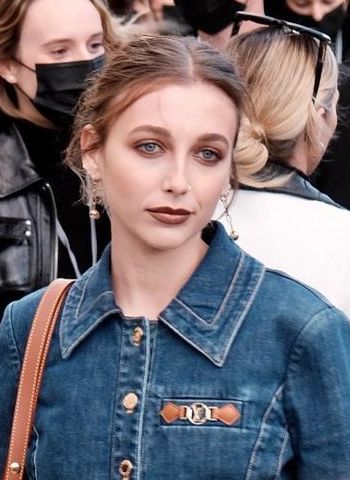
Emma Chamberlain at Paris Fashion Week in 2021
Emma ChamberlainEveryday stories
YOUR NEXT
CHAPTER ↗

Different voices. Your own beginning.

Editorial references. No affiliation or endorsement.
Photo credits

Use these design and creative direction prompts when you have a specific task and source material to work from. Start with the deliverable you need: for example, visual identity brief or design critique. Each prompt includes the inputs to gather and instructions you can adapt.

Choose, prepare, then check

  1. Open the prompt that matches your task. Read the full instructions before choosing it.
  2. Replace the bracketed inputs with your own approved material. Keep private details out of tools unless your rules and the tool's settings permit them.
  3. Check names, numbers, source claims and commitments against the original material. A polished result still needs your review.
  4. Ask a precise follow-up about the part that needs work, while keeping confirmed facts unchanged.

For a fuller workflow, creative voice is available in the connected guides. You can also return to creators to choose another task.

PROFESSIONAL PROMPT HANDBOOK

Choose a task template.

Choose a task, replace the bracketed inputs and copy the complete instructions. Use the connected guide when you need the full workflow. Review facts, calculations and commitments before using an answer.

10 prompts. Search and pagination need JavaScript; all prompts are readable below without it.

181 / Design and creative directionVisual identity briefOpen prompt +
INPUTS
[brand]; [audience]; [positioning]; [existing assets]; [applications]; [constraints]

PROMPT
Create a visual identity brief that translates brand strategy into design decisions. Define the intended impression, practical applications, typography direction, color approach, imagery, layout principles, and accessibility needs. Explain each choice in relation to the audience and positioning. Offer three coherent creative directions rather than an unrelated list of styles. Include what should remain consistent and where variation is useful. End with evaluation criteria and a production checklist. Do not invent trademark availability or claim a visual direction is legally unique.

182 / Design and creative directionDesign critiqueOpen prompt +
INPUTS
[design or screenshot]; [purpose]; [audience]; [brand guidelines]; [constraints]

PROMPT
Critique the design against its purpose. Assess hierarchy, readability, spacing, alignment, color, imagery, consistency, and whether the intended action is clear. Tie each finding to a visible element and distinguish objective usability concerns from stylistic preference. Prioritize three changes with the greatest likely benefit. Provide a revision brief and explain what should be preserved. Do not infer interaction behavior from a static image. End with questions for the designer and checks that require viewing the design at its actual size or in use.

183 / Design and creative directionPresentation art directionOpen prompt +
INPUTS
[presentation topic]; [audience]; [key message]; [brand]; [delivery setting]

PROMPT
Develop an art direction for the presentation. Define a visual concept, typography, color palette, layout rhythm, image treatment, chart conventions, and hierarchy. Explain how the direction supports the message and delivery setting. Provide sample descriptions for a title slide, argument slide, data slide, and closing slide. Keep readability and information density appropriate to the audience. End with a slide review checklist and instructions for handling long text or complex data without shrinking it into unreadable content.

184 / Design and creative directionInfographic creative briefOpen prompt +
INPUTS
[subject]; [verified data]; [audience]; [format]; [main takeaway]

PROMPT
Create an infographic brief that communicates one main takeaway accurately. Organize the evidence into a clear narrative and identify which elements should be charts, diagrams, labels, or short text. Preserve units and source details. Suggest a layout, hierarchy, color use, and accessibility treatment. Avoid decorative visuals that distort quantities or imply unsupported comparisons. Deliver a content outline and production notes. End with a fact-check checklist and identify any missing data that prevents a precise visual from being created.

185 / Design and creative directionPackaging conceptOpen prompt +
INPUTS
[product]; [audience]; [brand]; [package dimensions]; [required information]; [materials]

PROMPT
Develop three packaging concepts that fit the product and production constraints. Explain the hierarchy, visual language, front and back information, material considerations, and how buyers distinguish variants. Preserve mandatory supplied text and flag requirements needing local verification. Describe the concepts clearly enough for a designer to sketch. Compare shelf clarity, usability, and production complexity. End with a prototype-testing checklist and questions for the printer or manufacturer. Do not assume sustainability claims or material capabilities without supporting information.

186 / Design and creative directionCreative campaign moodboard briefOpen prompt +
INPUTS
[campaign]; [audience]; [message]; [tone]; [channels]; [brand assets]

PROMPT
Write a moodboard brief for a coherent campaign direction. Define the emotional tone, visual references by descriptive qualities, color relationships, lighting, composition, textures, typography, and image subject matter. Explain how these elements reinforce the campaign message. Provide three direction options with clear differences and practical production implications. Avoid relying on vague adjectives alone. End with a recommended direction, a shot or asset list, and criteria for rejecting attractive references that do not fit the strategy.

187 / Design and creative directionPoster design specificationOpen prompt +
INPUTS
[event or message]; [audience]; [size]; [required text]; [distribution context]

PROMPT
Create a poster specification that makes essential information legible at the intended viewing distance. Establish the headline, secondary details, action information, and visual focal point. Suggest layout, type sizes relative to format, color approach, and image direction. Preserve dates, locations, and contact details exactly. Provide two layout concepts and explain their tradeoffs. End with a print or screen checklist covering margins, contrast, resolution, and proofreading. Flag specifications that need confirmation from the production provider.

188 / Design and creative directionCreative brief for a designerOpen prompt +
INPUTS
[project]; [objective]; [audience]; [deliverables]; [brand]; [deadline]; [budget]

PROMPT
Write a concise creative brief that a designer can act on. Explain the problem, desired audience response, main message, supporting facts, deliverables, formats, constraints, and approval process. Include relevant existing assets and references, explaining what is useful about each. Separate required elements from preferences. Define evaluation criteria and milestone reviews. End with open questions and a handoff checklist. Avoid prescribing every visual decision when the designer needs room to solve the problem, but make the objective and production requirements explicit.

189 / Design and creative directionDesign system foundationsOpen prompt +
INPUTS
[product or brand]; [platforms]; [existing components]; [accessibility needs]; [team]

PROMPT
Propose foundations for a small design system. Define typography roles, spacing scale, color roles, component states, naming, and documentation needs. Connect choices to actual product usage and identify existing inconsistencies. Provide a starter token structure and specifications for three common components, including interaction and error states where applicable. Avoid building a large system before the team needs it. End with governance, versioning, and a practical adoption sequence that allows consistency to improve without delaying essential product work.

190 / Design and creative directionCreative selection scorecardOpen prompt +
INPUTS
[concepts]; [brief]; [audience]; [constraints]; [decision makers]

PROMPT
Create a scorecard for choosing among creative concepts. Define criteria for strategic fit, clarity, distinctiveness, usability, production feasibility, and consistency with the brief. Explain the weighting and use evidence from the supplied concepts. Separate personal taste from failure to meet requirements. Provide a comparison table, recommendation, and the strongest argument for the runner-up. End with a small audience or prototype test for unresolved questions and a decision record documenting why the selected concept best serves the project.

Browse all prompt topics

How to use this collection

Copy the inputs and instructions together. Supply the documents or examples a task requires. Most prompts are for text assistants; image and video tasks require a compatible generation tool. Check facts, calculations, source links and commitments before using the output. This handbook is an original collection informed by public sources, reviewed 5 October 2026; it has not been benchmarked across models.

THE LSG NOTE

A good idea
changes your day.

Useful prompts and practical tips, straight to your inbox.

No spam. Just the good stuff.

Email me practical AI updates. Unsubscribe anytime. Privacy

Mila, LifestyleGlide’s blue-and-white gliding mascot, waving hello