
THE CREATOR STUDIO / PRACTICAL GUIDE
Content Creator Roadmap
For videos, tutorials, newsletters and other creative work: choose a person to help, give the piece one clear promise and make the smallest version you can finish. If this is your first YouTube upload, use the full seven-step video roadmap linked below.
CHAPTER ↗
Different voices. Your own beginning.
Editorial references. No affiliation or endorsement.Photo credits
- Steven Khan · CC BY 4.0 · displayed crop
- Ramsey Cardy / Collision / Sportsfile · CC BY 2.0 · displayed crop
- Patou Cornette · CC BY-SA 2.0 · displayed crop
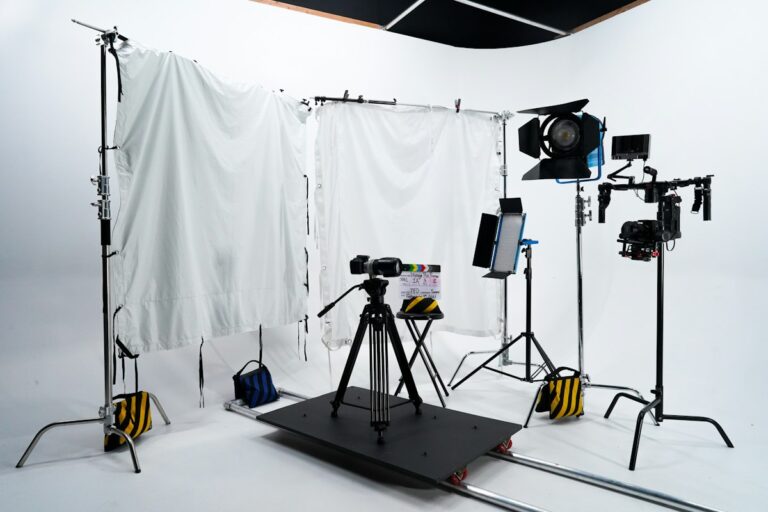

A starting point
you can make your own.
Browse the full creators collection when you need help with another task.
YOUR SITUATION. YOUR DETAILS.
Publishing and community prompts.
Choose a task from this guide, add your details and check the answer before using it.
Browse the prompts below.
Publishing and community ↗
Write a description that matches the upload
Help viewers understand the real content.
Open the prompt +
INPUTS [Finished video summary]; [resources]; [intended viewer] PROMPT Draft a video description from [finished video summary] for [intended viewer]. State the actual topic and useful outcome, then organise [resources] into clearly labelled links or placeholders. Do not insert unrelated keywords, invented credentials or claims about results the video does not show.
Try this follow-up
Remove repeated phrases and put the most useful context in the opening lines.
Check before using
Verify resource destinations and any factual claims before publishing.
Publishing and community ↗
Create chapters from actual timestamps
Organise the video that exists.
Open the prompt +
INPUTS [Timestamped outline]; [section purposes]; [platform requirements] PROMPT Turn [timestamped outline] into concise chapter labels reflecting [section purposes]. Keep every supplied timestamp unchanged and flag gaps or overlaps. List [platform requirements] I still need to verify. Do not invent timestamps or pretend to have watched the video.
Try this follow-up
Make the labels more specific without changing the times.
Check before using
Check each chapter against the final uploaded edit.
Publishing and community ↗
Draft a pinned comment with one question
Invite a relevant conversation.
Open the prompt +
INPUTS [Video takeaway]; [question for viewers]; [boundaries] PROMPT Write three pinned-comment options around [video takeaway] and [question for viewers]. Keep [boundaries] and invite concrete experiences or questions. Do not manufacture controversy, pressure engagement or imply that a reply guarantees a benefit.
Try this follow-up
Choose the most natural option and shorten it to two sentences.
Check before using
Make sure the question fits the video and is comfortable for viewers to answer.
Publishing and community ↗
Respond to a fair correction
Acknowledge the actual issue clearly.
Open the prompt +
INPUTS [Viewer correction]; [verified facts]; [planned change] PROMPT Draft a response to [viewer correction] using [verified facts] and [planned change]. Acknowledge the specific point, state what I checked and explain the correction I can actually make. If the claim remains unverified, say what I need to check. Do not argue from authority or invent an apology.
Try this follow-up
Create a concise version for the comment and a separate note for the description update.
Check before using
Verify the correction before presenting it as settled.
Publishing and community ↗
Group viewer questions for future content
Turn comments into a useful topic list.
Open the prompt +
INPUTS [Redacted comments]; [channel scope]; [available expertise] PROMPT Group [redacted comments] into recurring questions within [channel scope]. Preserve representative wording without identifying commenters. Distinguish a repeated question from a single unusual request. Suggest future topics I can address using [available expertise]. Do not invent frequency counts or audience sentiment.
Try this follow-up
Rank the topics by fit and ability to demonstrate, rather than predicted views.
Check before using
Check any counts against the supplied comments and keep personal details out.
Publishing and community ↗
Review an upload checklist after a change
Catch inconsistencies in the finished package.
Open the prompt +
INPUTS [Title]; [description]; [thumbnail description]; [final content] PROMPT Check the consistency of [title], [description], [thumbnail description] and [final content]. Flag mismatched promises, outdated references and claims unsupported by the video. Produce a short fix list ordered by viewer confusion. Do not predict performance or claim platform-policy approval.
Try this follow-up
Rewrite only the highest-priority inconsistent element.
Check before using
Review the final files and current platform requirements yourself.
Publishing and community ↗
Explain a delayed episode
Set expectations without inventing excuses.
Open the prompt +
INPUTS [Original plan]; [actual reason]; [confirmed next step] PROMPT Write a brief audience update about a delayed episode using [original plan], [actual reason] and [confirmed next step]. Keep the tone direct and human. Separate an estimate from a confirmed date. Do not invent circumstances, blame a collaborator or make a new promise to soften the delay.
Try this follow-up
Write a version that gives only the information viewers need.
Check before using
Use only a reason you are comfortable sharing publicly.
Publishing and community ↗
Plan a small title experiment
Record a change without pretending it proves causation.
Open the prompt +
INPUTS [Original title]; [alternative]; [available metrics]; [time window] PROMPT Create a record for testing [alternative] against [original title]. Define what changes, what stays fixed and which of [available metrics] I will observe over [time window]. List confounding factors and limits. Do not predict an uplift or treat a small observation as a causal result.
Try this follow-up
Write a review template with spaces for actual observations and uncertainties.
Check before using
Use the platform’s real measurements and avoid over-interpreting a small sample.
Publishing and community ↗
Set friendly comment boundaries
Explain what discussion belongs on the channel.
Open the prompt +
INPUTS [Community purpose]; [unwanted behaviour]; [moderation approach] PROMPT Draft a short comment-guideline note for [community purpose]. Describe [unwanted behaviour] and [moderation approach] in plain language. Encourage disagreement about ideas while keeping boundaries clear. Do not threaten users or invent rules the channel will not apply.
Try this follow-up
Make the note shorter and add one example of a constructive disagreement.
Check before using
Make sure the guidelines match the moderation you can actually provide.
Publishing and community ↗
Audit resource links in a video package
Keep the promised next step available.
Open the prompt +
INPUTS [Description links]; [purpose of each]; [known status] PROMPT Organise [description links] into a resource audit using [purpose of each] and [known status]. Flag missing destinations, vague labels and resources that no longer match the video. Mark status unknown unless supplied. Do not claim to have opened or checked links you cannot access.
Try this follow-up
Suggest clearer labels for the resources I have verified.
Check before using
Open every final destination and confirm permission to share any private material.
These are original, editable starting points. A prompt does not complete an action outside the conversation. Use approved inputs and review facts, source material and commitments before using a result.
More starting points for this task.
Choose one prompt and add your own details.
CreatorsPlan my first video
Go from a vague idea to a filmable outline.Open the prompt +
Help me outline a first video about [topic] for [audience]. My equipment is [equipment] and filming time is [time]. Give a one-sentence promise, an honest opening hook, a beginning-middle-end outline, a simple shot list and a natural ending. Mark any factual claim that needs checking. Keep the plan within my resources and ask about missing information.
CreatorsWrite an honest hook
Make the opening interesting without clickbait.Open the prompt +
Write ten opening lines for a video about [topic] using these verified details: [details]. Each should create curiosity while accurately describing what the viewer will get. Give three approaches: a useful question, a demonstration and a relatable problem. Explain which audiences each fits. Do not invent results, urgency or personal experiences.
CreatorsTitles that match the video
Clear promises your actual video can deliver.Open the prompt +
Suggest ten titles and three thumbnail concepts for this video: [summary]. The intended viewer is [audience]. Each title must accurately reflect the video and each thumbnail should be readable on a phone. Explain the promise each makes and what footage supports it. Avoid misleading before-and-after claims, fake numbers and exaggerated certainty.
CreatorsKeep my hobby enjoyable
Create regularly without making it a second job.Open the prompt +
Help me build a sustainable filming routine around [topic]. My age range is [age range] and I have [hours per week] hours per week alongside [commitments]. Split time between enjoying the hobby, filming, editing and resting. Create a minimum-effort week and a normal week, plus a rule for skipping an upload when life gets busy. Ask what tends to drain my energy.
CreatorsEdit with a purpose
Know what to cut, keep and explain.Open the prompt +
Review this video transcript or outline: [text]. The intended viewer is [audience] and the main promise is [promise]. Identify repetition, confusing jumps and moments needing a visual example. Suggest a concise edit plan with a reason for each cut. Preserve important context and my voice. Do not assume access to footage I have not provided.
CreatorsLearn from a published video
Find a useful next experiment.Open the prompt +
Help me review my video using these actual observations: [metrics and viewer feedback]. Separate observations from hypotheses. Suggest three possible explanations, what evidence could distinguish them and one small change to test in my next video. Do not treat correlation as proof or invent benchmark values. Include what I enjoyed making and what I would keep.
